
How to Reset Password in Lucky Sabong
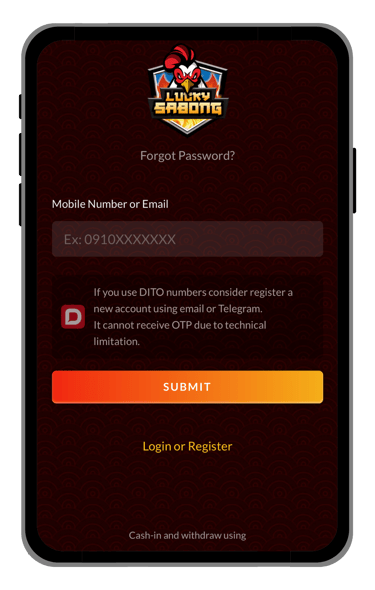
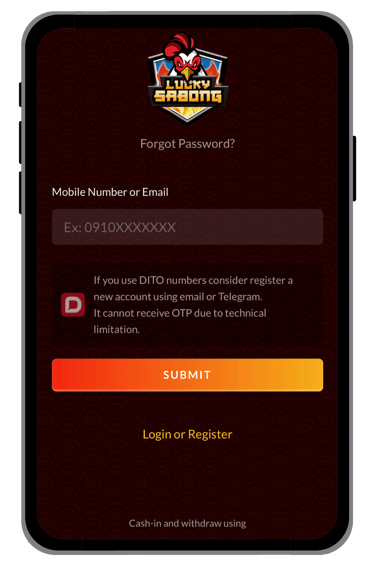
Select the button provided below to go to the Forgot Password page. Once you are on the page, enter your mobile number or email address, then select Submit. After that, enter the code sent to your account, create a new password, and submit again.


Full Guides & Helpful Pages


• Open the Forgot Password Page
Select the button provided on this page to go to the Forgot Password page. Starting from the correct button helps make sure you are following the proper path before entering your account details and continuing to the next step.
• Enter Your Mobile Number or Email
Once you are on the page, enter your mobile number or email address, then select Submit. This step helps begin the password recovery process and allows the page to continue to the next part of the reset flow.
• Enter the Code and Create a New Password
After submitting, enter the code sent to your account, create a new password, and submit again to complete the reset process. This step is important because it confirms your account access and allows you to continue with a new password.
• Need Help Resetting Your Password?
If you have trouble opening the correct page, receiving the code, or understanding what to do next, you can use the live chat support page for more help. Support-related guidance is available to help players continue more easily and solve password recovery concerns with less confusion.


© 2026 Lucky Sabong. All rights reserved.